



How to Add llms.txt to Your Website
Step-by-step guide to create and implement an llms.txt file. See how L3ad Solutions built theirs and what AI engines actually do with it in 2026.
Updated May 29, 2026 · 12 min read
Table of Contents
TL;DR: llms.txt is a plain Markdown file at your site root that lists key pages and summaries for AI crawlers. Major platforms have not confirmed they read it, yet some documentation sites report regular visits from ChatGPT, Claude, and Perplexity bots. L3ad Solutions added one in early 2026 with sections for services and blog posts. The file takes under an hour to build and costs nothing. It does not replace robots.txt or strong content.
Small and mid-size business owners keep asking the same question. Their sites rank in Google but disappear when prospects ask ChatGPT or Perplexity for recommendations.
One low-cost file now sits at the center of that conversation. It is called llms.txt. The file gives AI systems a short, structured map of what matters on your site.
Adoption has grown fast. Over 844,000 sites had added one by late 2025 according to tracking data. Yet the real impact remains debated.
Google has stated no current AI system uses it for citations. Other platforms have stayed silent. Still, several documentation sites track repeated crawler visits to these files.
The honest move for most US businesses is to add the file, keep expectations realistic, and focus first on clear content.
What llms.txt does and does not do
llms.txt lives at the root of your domain as a simple Markdown file. AI crawlers can read it in one pass and see a curated list of pages, short descriptions, and sometimes full summaries. Think of it as a human-written index meant for machines.
The proposal came from Jeremy Howard in 2024. Companies such as Anthropic, Vercel, Stripe, and Cloudflare published their own versions. Mintlify began generating the file automatically for thousands of documentation sites.
Crawler data from some hosts shows ChatGPT, Claude, and Perplexity bots requesting llms.txt and llms-full.txt multiple times per week. That traffic suggests at least some agents use the file to locate content quickly.
On the other side, no major platform has published an official statement that it factors llms.txt into citation decisions. Google's John Mueller has said plainly that no AI system currently uses it. Statistical reviews of citation patterns have found no measurable lift from the file alone.
The file reduces friction for agents that already browse the open web. It does not create new ranking signals.

llms.txt reduces friction for AI agents by providing a direct, structured map of key content.
Decide whether your site needs the file
Start by checking two things. First, open your robots.txt and confirm that GPTBot, ClaudeBot, PerplexityBot, and similar agents are allowed. Second, look at your top pages.
If your most important content sits behind complex navigation or heavy JavaScript, an llms.txt file can point agents straight to the clean versions. Service businesses with a handful of core offer pages and a blog benefit most.
E-commerce sites with thousands of product pages gain less because the file works best as a short, high-signal list.
L3ad Solutions decided to add one because our services and recent GEO guides are the exact pages we want AI answers to reference. The decision took ten minutes. The file itself took forty-five.
Build the file structure
Create a new text file named llms.txt. Use Markdown headings and short paragraphs. Begin with a one-sentence site summary.
Then add sections such as Services, Blog, and About. Under each heading list the most important URLs with a one- or two-sentence description. Keep the whole file under 2,000 words so agents read it completely.
Include only pages you want cited. Skip thin or duplicate content. Some teams also publish an llms-full.txt version that holds longer excerpts.
L3ad Solutions keeps the main file short and points to full blog posts for deeper reading. Example lines look like this: ## Services. /services/ai-search-optimization: Practical steps US businesses use to appear in ChatGPT and Perplexity answers.
That format lets an agent jump directly to the right page without guessing.
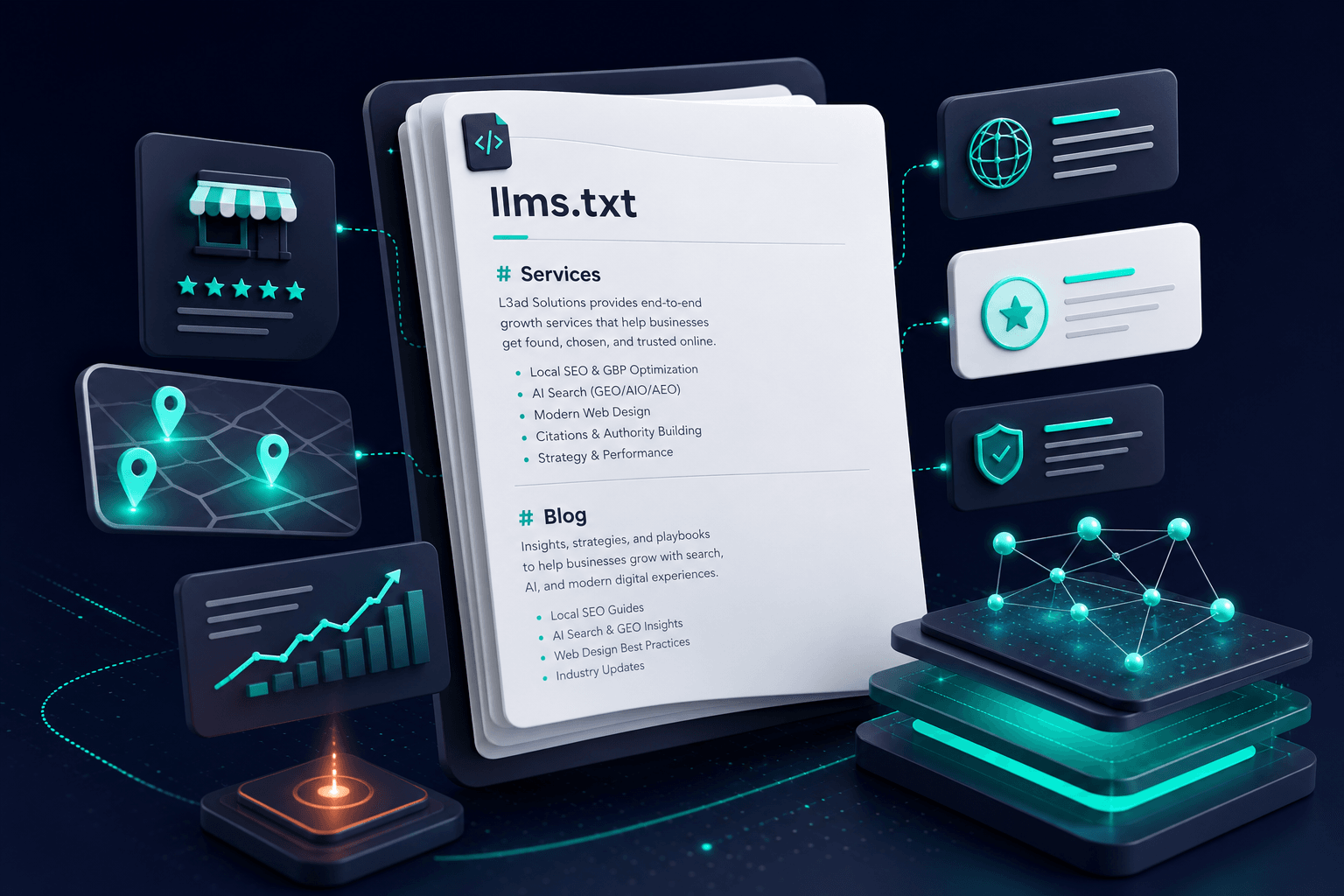
Keep the llms.txt file short and focused on the pages you want AI systems to reference.
See the L3ad Solutions implementation
At L3ad Solutions the file sits at l3adsolutions.com/llms.txt. The top section names the agency and its focus on AI search for US companies. The Services section lists five core offerings with one-sentence summaries.
The Blog section highlights the most recent posts on GEO tactics and llms.txt itself. Each entry includes the full URL and a plain description of the value the page delivers. No tables or complex formatting appear.
The file ends with a short note that the site welcomes AI crawlers for research purposes.
We tested the file by asking ChatGPT to summarize our services using only the llms.txt link. The model pulled the correct pages and descriptions on the first try. That simple test confirmed the file was readable.
Upload and verify the file
Place llms.txt in the root folder of your site so it loads at yourdomain.com/llms.txt. Use your hosting control panel or FTP client.
Confirm the file returns a 200 status code and displays as plain text. Add a line to robots.txt that references the file if you want extra visibility: Sitemap: https://yourdomain.com/llms.txt.
Then run a quick check with a browser or curl command.
Next, test with an AI tool. Paste the direct URL into Claude or Perplexity and ask it to list the main sections. If the response matches what you wrote, the file works.
L3ad Solutions performed this test across three platforms before announcing the addition.

Verify your llms.txt file by testing it directly with AI tools to confirm accurate parsing.
Set realistic expectations for citations
Adding llms.txt is low effort and zero cost. It does not guarantee citations. Current evidence shows mixed results.
Documentation sites that publish clear, authoritative content see repeated crawler visits. Broader studies have not found a direct lift in citation frequency from the file alone.
The strongest factor remains the quality and structure of the pages themselves. Use conversational headings, answer questions directly, and keep paragraphs short. Add FAQ schema on key pages for extra clarity.
Track mentions by running the same prompts weekly in ChatGPT, Claude, and Perplexity. Note which sources appear. Over months you can see whether the file helps agents reach your content faster.
L3ad Solutions treats the file as one small piece of a larger AI-search program that starts with useful content.
Combine llms.txt with other AI-search steps
The file works best alongside standard technical practices. Allow AI user agents in robots.txt. Serve clean HTML that renders without heavy client-side JavaScript for critical pages.
Use clear headings and short paragraphs so agents can extract answers easily. Publish original research or detailed case examples that competitors have not covered. These elements matter more than any single file.
Many US agencies now run monthly prompt audits to see where their brand appears and where gaps remain.
L3ad Solutions pairs the llms.txt file with regular content updates and schema markup on service pages. The combination gives agents both a fast map and high-quality destination pages.
After upload, paste your llms.txt URL into Claude and ask for a summary. If the model returns accurate page descriptions, the file is working.
- Create llms.txt at your site root using short Markdown sections that name your top pages and their value.
- Reference only the pages you want AI systems to cite. Keep the file under 2,000 words.
- Confirm the file loads at yourdomain.com/llms.txt and test it directly with ChatGPT or Claude.
- Track actual citations over time rather than assuming the file alone drives results.
- Pair the file with clear content, allowed AI crawlers in robots.txt, and FAQ schema on key pages.
Tap a question to expand.
Does llms.txt guarantee my site will be cited in ChatGPT or Perplexity?
How long does it take to build and upload llms.txt?
Should I also create an llms-full.txt file?
What if my site uses a lot of JavaScript?
Related on L3ad Solutions
Or start with a free AI visibility check
Does AI Recommend You?
See if ChatGPT, Gemini, Grok, and Claude name your business. Free report by email.