


7 Small Business Website Mistakes to Avoid in 2026
Seven small business website mistakes that cost leads: slow loads, missing calls to action, poor mobile design, and more, with the fix for each.
Updated February 3, 2026 · 15 min read
Table of Contents
• Many small business websites have invisible conversion killers that block leads. • Common issues include poor mobile design, slow speed, unclear CTAs, and missing trust signals. • Over 60% of local searches are on mobile, and slow or unusable sites lose customers fast. • Fixing mobile speed, CTAs, and contact visibility can deliver quick wins for lead generation.
Key Takeaways
- Many local business websites look professional but silently block leads through invisible conversion killers (the same 10 mistakes appear repeatedly).
- Common small business website mistakes include design mistakes, slow site speed, confusing navigation, weak calls-to-action (CTAs), and neglecting SEO.
- Over 60% of local searches now happen on mobile devices, and visitors will leave in under 3 seconds if your site is slow, confusing, or doesn’t clearly tell them what to do next.
- If your site speed is slow, every additional second of loading time can decrease conversion rates by 4.42 percent.
- Each mistake covered includes what the problem is, why it specifically hurts local businesses, how to quickly check for it, and practical steps to fix it.
- These insights come from L3AD Solutions analyzing local service business websites across Brevard County and similar markets.
- If you can only fix three things, prioritize mobile speed, clear calls-to-action, and visible contact information. Then request a free website audit from L3AD Solutions for personalized guidance.
Your Website Looks Great… But The Phone Still Isn’t Ringing
You paid good money for your website. It looks polished on your laptop. Your logo is crisp, the colors match your brand, and the photos look professional. However, a clean, professional, and modern layout can immediately signal legitimacy to consumers, which is especially important for small businesses.
But something isn’t adding up. Calls are flat. Form submissions trickle in. Bookings that should be flowing just… aren’t.
Here’s what we’ve found analyzing local service business websites across the Space Coast and beyond: most don’t have “broken” websites. They have invisible conversion killers. Poor design can deter a potential buyer and diminish trust, even if the site looks polished on the surface.
These aren’t dramatic failures. They’re quiet problems that push potential customers toward your competitors without you ever knowing.
The connection between website performance and local SEO runs deep. For a positive approach to fixing these issues, see our web design tips for local businesses. When your site is slow, unclear, or missing trust signals, both Google and real people back away. Trust signals can also foster reliability from search engines, potentially resulting in higher search rankings. Search engines reward websites that deliver fast, helpful experiences, and penalize those that don’t.
Here are the 10 most common small business website mistakes we see in local business audits, each with a clear test you can run and fixes you can implement. Most don’t require a complete redesign. Many can be addressed in a single day.
1. Not Mobile-Optimized for Real Local Visitors
Over 60% of local searches now happen on mobile devices. That number climbs even higher for service-based businesses. Yet most local business owners still only check their website on a desktop or laptop. Responsive web design allows your site to adapt to any screen size, ensuring consistent usability across devices.
When mobile users land on a site that wasn’t built for them, the experience falls apart fast.
The problem looks like this: Text so small it requires pinching and zooming. Buttons too tiny for thumbs to tap accurately. Horizontal scrolling that disrupts natural reading. Forms that break or become unusable on touchscreens. Phone numbers that aren’t clickable. Critical pages buried in clunky mobile menus.
Why it hurts your business: Google uses mobile first indexing, meaning it primarily evaluates the mobile version of your site when determining rankings. Responsive web design is a key factor in google rankings, as Google prioritizes mobile-friendly sites in search results. Poor mobile usability tanks both your search visibility and your conversion rates. Research shows 57% of users won’t recommend a business with a bad mobile design. Sites failing mobile tests see bounce rates spike by 50-100% within the first few seconds.
For a local service business, this means the customer searching “roof repair Melbourne FL” on their phone while staring at storm damage hits your site, struggles to move through, and calls your competitor instead.
How to check: Open your website on your actual phone, not a browser resize on desktop. Try completing your own contact form. Tap your phone number to see if it initiates a call. Go to your top three service pages. Then run your URL through Google’s Mobile-Friendly Test for a technical assessment. Check mobile behavior in Google Analytics (bounce rate, session duration) to see if mobile users are leaving faster than desktop visitors.
How to fix:
- Move to a responsive theme or modern page builder that adapts layouts to screen size
- Simplify mobile layout by prioritizing essential information above the fold
- Ensure click-to-call buttons are prominent and functional
- Make tap targets at least 48x48 pixels with proper spacing
- Use large, easy-to-read fonts and ample spacing to improve mobile usability
- Compress images and minimize heavy scripts to speed up mobile load times
- Test your site on multiple devices to ensure a smooth mobile experience
- Add sticky CTAs that follow users as they scroll
- Test on multiple devices and browsers regularly
L3AD Solutions builds website design services specifically optimized for mobile responsiveness and local conversions, because impressions matter most when mobile traffic represents the majority of your visitors.
Test your site on real mobile devices, not just desktop browser simulations, to catch usability issues that impact local customers.
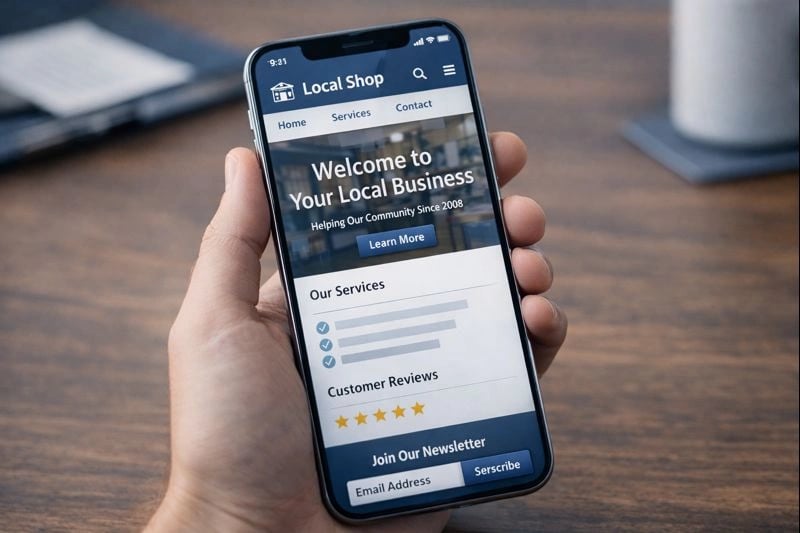
A mobile-optimized website ensures local customers can easily move through and contact your business.
2. No Clear Call-to-Action on Every Key Page
Many local sites describe their services beautifully but never tell visitors what to do next. Should they call? Fill out a form? Book online? Request a quote?
When the next step isn’t obvious, people hesitate. And hesitation kills conversions.
The problem shows up as: Vague button text like “Learn More” or “Click Here” scattered without hierarchy. Multiple competing CTAs fighting for attention. Primary actions buried below extensive scrolling. Service pages that end without any prompt. Blog posts with zero conversion pathway.
Why it hurts: Mobile users especially make decisions in seconds. They need a single, obvious next step. Without guided actions, conversion rates plummet (studies show drops of 70-80% even on pages with decent traffic). For local businesses where 90% of mobile searchers act within an hour, unclear CTAs cause half of them to abandon due to decision paralysis.
A restaurant site where “View Menu” competes with “Order Online” and “Make Reservation” with equal visual weight often results in zero completions despite strong web traffic.
How to check: Open your homepage and top three service pages on a phone. Ask yourself: “Within 3 seconds, is it absolutely obvious what I’m supposed to do?” If you have to search for the action, so will your customers.
How to fix:
- Limit each page to one primary CTA (e.g., “Call Now for Free Quote”)
- Place primary CTA in header and repeat it at key scroll points
- Use action-oriented, specific language like “Book Your Appointment Today”
- Make buttons high-contrast and thumb-friendly in size
- Ensure phone CTAs are click-to-call on mobile devices
- Add urgency when appropriate (“Limited Spots This Week”)
- A/B test different CTA copy and track results in Google Analytics
The user journey should feel effortless. Guide users toward the action that benefits both them and your business.
Single Focus
Limit each page to one primary action to avoid decision paralysis.
Visible Placement
Place CTAs in headers and at key scroll points for easy access.
Action-Oriented Text
Use specific phrases like 'Book Now' to guide users clearly.
3. Contact Info Buried, Inconsistent, or Missing
This one appears in nearly every local audit we conduct. Phone numbers relegated to the contact page only. Hours that haven’t been updated since pre-pandemic. Addresses that changed after a business move but were never updated online.
The problem manifests as: NAP (Name, Address, Phone) that doesn’t match your Google Business Profile. No header phone number visible on any page. Footer contact info in tiny, unclickable text. Forms that submit without confirmation messaging, leaving visitors uncertain whether it worked. Missing business hours.
Why it devastates local businesses: Research indicates 70% of mobile users call directly from search results. Sites without prominent click-to-call functionality lose 30-50% of these opportunities. Incorrect NAP confuses both customers and search engine crawlers, leading to lower map rankings. Nearly half of consumers lose trust immediately after seeing wrong contact information.
Trust erodes when information feels hidden. It signals unapproachability, exactly the opposite of what a local service business needs.
How to check: Search your brand name on Google. Compare your website’s NAP to what appears in your Google Business Profile. Then visit your own site as a stranger: can you find the phone number and address within 3 seconds on any page?
How to fix:
- Place click-to-call phone number prominently in your header
- Add a sticky floating action button on mobile for quick calling
- Include consistent NAP in footer across all pages
- Embed a Google Map on your contact page
- Display current business hours with live updates
- Sync information across all directories and profiles
Using Google Business Profile services ensures consistency between your website and your GBP listing, which is critical for both customer trust and local search visibility.
4. Slow Loading Speed (Especially on Mobile Data)
Speed is one of the biggest silent killers of local business websites. Your site might look beautiful, but if it takes forever to load, potential customers never see it. Site speed is critical for both user engagement and search engine rankings, as slow-loading sites frustrate visitors and can hurt your visibility on Google.
Google data shows 53% of mobile users abandon sites that take more than 3 seconds to load. That number escalates to 70% at 5 seconds. For local service seekers who need quick answers (“emergency plumber near me” or “AC repair now”), patience runs even thinner.
Common culprits we see in audits:
- Massive hero images uploaded directly from phones (often 3-5MB each)
- Uncompressed photos throughout service pages
- Bloated themes with excessive built-in features
- Too many scripts and plugins running simultaneously
- Cheap, slow shared hosting
- No browser caching or compression enabled
- High resolution videos auto-playing on homepage
Why it destroys performance: Slow load times tank rankings. Google’s Core Web Vitals factor speed heavily into local pack visibility. Frustrated users hit the back button, inflating bounce rates to 90% in severe cases. Slow site speed negatively impacts user engagement, causing visitors to leave before interacting with your content, which in turn affects SEO rankings. E-commerce data shows 32% revenue loss per additional second of delay, and for service businesses, that translates to missed calls and lost appointments. Every additional second of loading time can decrease conversion rates by 4.42 percent.
A slow website wastes every dollar you spend on Google Ads, social media platforms, or any other marketing efforts driving targeted traffic to a page that loads too slowly to convert.
How to check: Run your site through Google PageSpeed Insights and GTmetrix. Focus on your mobile score, Largest Contentful Paint (LCP), and Time to First Byte (TTFB). Your goal: load time under 3 seconds on mobile connections. If your mobile score is below 50, you have significant work to do.
How to fix:
- Compress and resize large image files using tools like TinyPNG or ShortPixel
- Enable browser caching for storing resources locally in returning visitors’ browsers (can increase website speeds by up to 300%)
- Remove unused plugins and scripts to eliminate bulky code
- Minimize CSS and JavaScript files
- Consider upgrading to faster hosting with CDN support
- Use a Content Delivery Network (CDN) to reduce loading times by distributing content across multiple servers
- Lazy-load images and videos below the fold
- Defer non-critical JavaScript
- Perform regular website maintenance, including updating your CMS and plugins for optimal security and functionality
- Automate website backups to ensure recovery in case of data loss or cyberattacks
L3AD Solutions includes speed optimization in our digital marketing services for local businesses because we've seen firsthand how site's performance improvements translate directly to more calls and bookings. Monitoring and optimizing your site's performance is essential for both user experience and search engine visibility, and tracking Google's Core Web Vitals is key to measuring and improving your results.
Every second of delay in load time can reduce conversions by over 4%, directly affecting your bottom line.
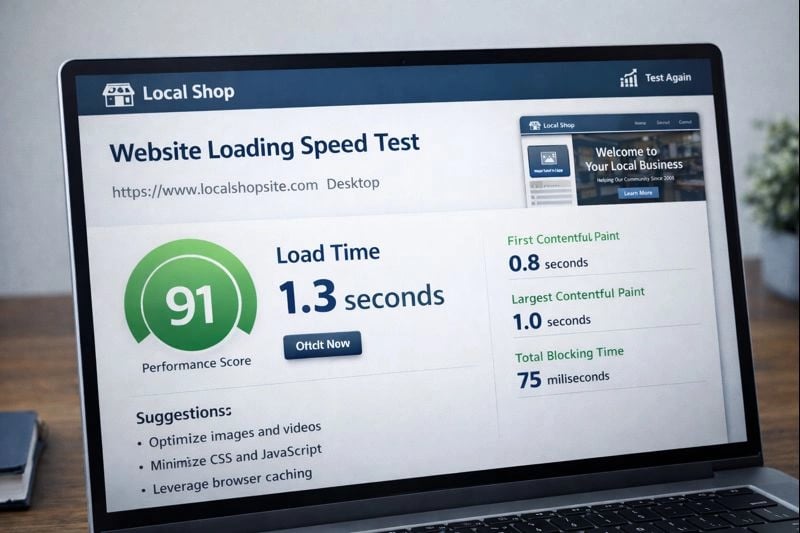
Slow loading speeds can drive customers away. Test and optimize your site for better performance.
Understanding Google's Core Web Vitals (and Why They Matter for Local Businesses)
Google's Core Web Vitals are a set of essential metrics that measure how real users experience the speed, responsiveness, and visual stability of your website. In simple terms, they track how quickly your site loads, how soon visitors can interact with it, and whether the layout shifts unexpectedly as it loads. These factors aren't just technical details. They're signals that search engines use to decide which sites deserve top spots in local search results.
Largest Contentful Paint (LCP): Measures loading performance, specifically how fast the main content appears. Target: under 2.5 seconds.
Interaction to Next Paint (INP): Measures responsiveness, specifically how quickly your site responds to user clicks and taps. Target: under 200 milliseconds.
Cumulative Layout Shift (CLS): Measures visual stability, specifically whether elements jump around as the page loads. Target: score under 0.1.
For local businesses, optimizing Core Web Vitals can make all the difference in attracting potential customers. With the majority of global web traffic now coming from mobile devices, your site’s loading speed and mobile usability are more important than ever. If your site takes too long to load or feels clunky on a phone, visitors will bounce before they ever see your services or contact info. Search engines reward websites that deliver a smooth, fast, and stable user experience, meaning better search ranking, more web traffic, and higher conversion rates.
Improving your Core Web Vitals isn’t just about pleasing Google; it’s about making sure every potential customer who lands on your site (especially mobile users) gets a smooth experience. Fast page speed, quick interactivity, and a visually stable layout reassure visitors and keep them engaged, increasing the chances they’ll call, book, or request a quote. In a world where every second counts, investing in your site’s performance is one of the smartest moves a local business can make.
5. Weak or Missing Local SEO Signals
Many small business websites talk generally about their services but never clearly signal what city, county, or service area they actually serve. This makes it nearly impossible for search engines to match the site to local searches.
The problem looks like: No city or region names in headings or title tags. Generic service pages without localized content. No embedded map showing service area. Missing LocalBusiness schema markup. Duplicated “location pages” with thin, near-identical content. No mention of neighborhoods, counties, or surrounding areas served.
Why it costs you leads: 46% of Google searches have local intent. When someone searches “roof repair in Melbourne FL” or “med spa near me,” Google prioritizes sites with strong location relevance. Without local SEO signals, you’re invisible in the local 3-pack, which captures 40% of clicks for local queries.
Your competitors who explicitly mention “Brevard County,” “Space Coast,” or specific city names are getting those calls instead.
How to check: Google “[your service] in [your city]” on mobile. Do you appear on the first page? Are you in the map pack? Then review your homepage and key service pages: are your city and service area clearly mentioned in headings and body content?
How to fix:
- Add city and region to title tags, H1 headings, and page copy naturally
- Create dedicated local service pages for each major area you serve
- Embed a Google Map showing your location or service area
- Implement LocalBusiness schema markup (JSON-LD format)
- Build citations on directories like Yelp, Angi, and industry-specific platforms
- Ensure Google Business Profile is fully optimized and synced with website
These local SEO strategies are especially important for small businesses looking to compete in their local markets, as they help establish credibility and improve online visibility.
L3AD Solutions offers local SEO services that include on-page optimization, GBP optimization, and maps visibility setup, the foundation for converting local search visibility into actual leads.
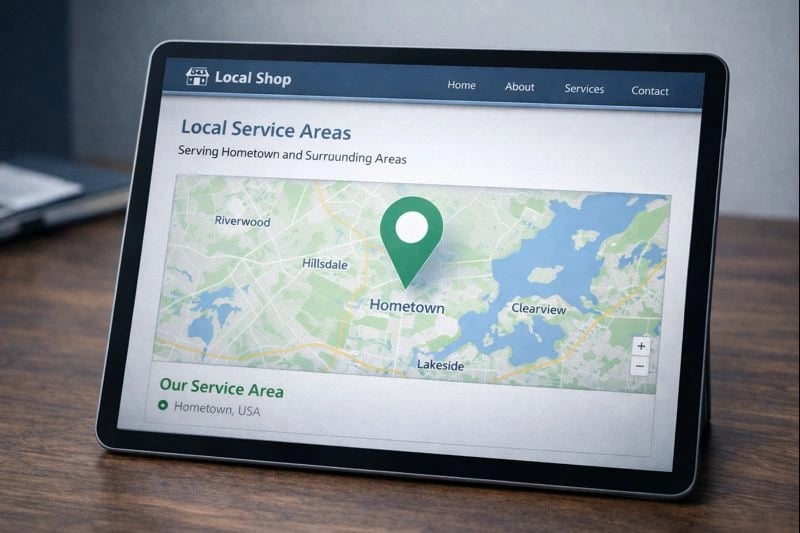
Embedding local signals like service area maps helps search engines connect your business to nearby customers.
6. Missing Trust Signals That Prove You’re Legit
Every week we audit websites for businesses with excellent services and strong reputations in their community, but their websites show none of it. No reviews. No testimonials. No credentials. No proof they’re trustworthy. Displaying positive and detailed reviews on your website can be arguably the biggest trust signal there is for a potential buyer.
Research shows 93% of consumers read reviews before contacting a local business. Social proof can boost conversion rates by 270%. Without it, visitors fear being scammed or disappointed.
What missing trust looks like:
- No embedded Google reviews or testimonials
- Generic “About Us” page without real team photos
- No display of licenses, certifications, or associations
- Missing years in business or service guarantees
- No case studies or before/after examples
- Stock photos instead of real work or team images
- Using low-quality or generic stock images, which can make a website look unprofessional and impersonal
Why it drives customers away: When a visitor can’t quickly verify you’re legitimate, they click back and choose the competitor who clearly displays reviews, certifications, and real customer stories. Building trust online requires visible proof, especially for home services, legal, medical, and other high-stakes industries.
How to check: Look at your homepage and core service pages on mobile. Count the visible trust signals within the first screen. How many reviews are displayed? Can visitors see your credentials? Then compare with your top three local competitors. If they’re showing more proof, they’re likely converting visitors you’re losing.
How to fix:
- Embed your Google reviews directly on key pages
- Add specific testimonials with customer names and locations (with permission)
- Display licenses, BBB accreditation, Angi scores, and industry certifications
- Include guarantees and warranties prominently
- Use real photos of your team, trucks, and completed work
- Add brief case studies showing specific outcomes
Our proven results page demonstrates how adding trust elements increased conversions for local clients, sometimes dramatically within the first month. Small businesses, in particular, benefit from showcasing trust signals to convert potential buyers into customers.
- Embed Google reviews on key pages to show real customer feedback.
- Display certifications and licenses to establish credibility.
- Use real team photos and case studies to personalize your brand.
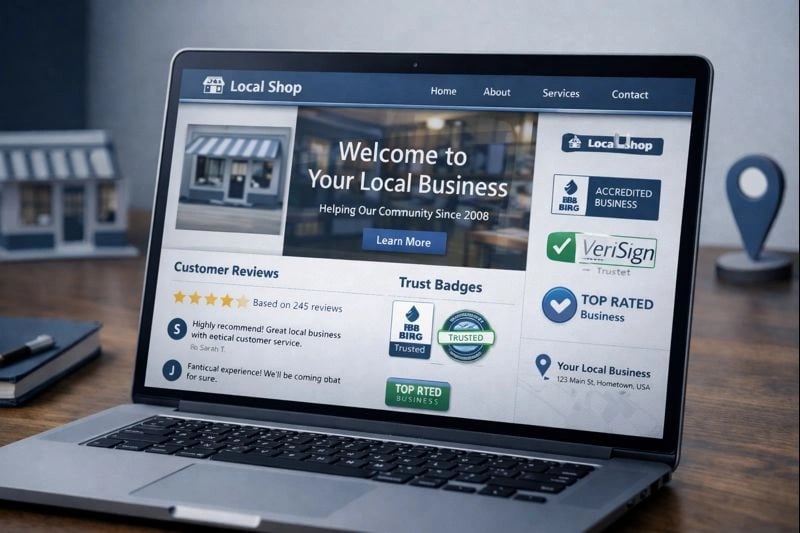
Visible trust signals like reviews and certifications can significantly boost customer confidence.
7. Confusing or Overloaded Navigation
Local business websites often grow “organically” over years. Pages get added without a plan. Menus become bloated. Labels turn into jargon that makes sense internally but confuses visitors.
The problem presents as: More than 7 top-level menu items competing for attention. Dropdown menus three levels deep. Page names like “Solutions,” “Programs,” or “Resources” instead of plain language like “Plumbing Services” or “Pricing.” Important pages buried where no one can find them. Inconsistent navigation between desktop and mobile.
Why it costs you business: Confused visitors interact briefly then leave. They don’t hunt. Studies indicate 50% of sales are lost after just three failed attempts to find information. Poor navigation also makes it harder for search engines to understand your site’s structure and crawl it effectively.
How to check: Ask someone unfamiliar with your business to find three things on your site using their phone: your pricing (or quote request), your hours, and one specific service. Time them. If it takes more than 10 seconds for any item, your navigation needs work.
How to fix:
- Limit main navigation to 5-7 clear, descriptive items
- Use plain language labels matching what customers actually search for
- Move secondary items to footer navigation
- Create a logical hierarchy (Services → Specific Services)
- Ensure mobile menu is equally clear and functional
- Add breadcrumb trails for deeper pages
L3AD Solutions' industry-specific marketing work has consistently shown that simpler menus often increase calls and form fills, sometimes immediately after the change.
Navigation Audit Checklist
8. No SSL Certificate or Visible Security
SSL (Secure Sockets Layer) encrypts data between the visitor’s browser and your website. It’s what puts the padlock icon and “HTTPS” in your URL instead of “HTTP.” Without it, browsers display alarming “Not Secure” warnings.
The problem appears as: “Not Secure” warnings in the browser address bar. Mixed content issues where some elements load securely and others don’t. Forms sending data over HTTP. Older local sites that never installed SSL certificates.
Why it kills conversions: More than 70% of visitors abandon sites showing security warnings, especially when forms are involved. For clinics, legal firms, or any business collecting personal information, this is catastrophic. SSL is also a basic ranking signal for Google, meaning poor quality security hurts both trust and visibility.
How to check: Look at your URL in Chrome right now. If you don’t see “HTTPS” with a padlock, or if you see “Not Secure,” you have a problem. Run your URL through an SSL checker tool for a complete diagnosis.
How to fix:
- Enable free Let’s Encrypt SSL through your hosting provider
- Force HTTPS redirects for all pages
- Fix mixed content issues (usually images or scripts loading via HTTP)
- Add HSTS headers for enhanced security
- Test again after implementation
This is typically a same-day fix. Most hosting providers offer one-click SSL installation. L3AD Solutions includes proper security configuration in our ongoing website care and professional web design work because it's non-negotiable for converting visitors into customers.
9. Stock, Generic Content That Could Be Any Business
Many businesses use template copy written for “any plumber in America” or AI-generated text that never mentions the real team, the local area, or the actual process. It’s easy to spot, and even easier to ignore. Generic content and design mistakes, such as cluttered or inconsistent design, can confuse visitors and make a website feel unprofessional.
What generic content looks like:
- Headlines like “We Are Your Trusted Experts” (trusted by whom? experts at what?)
- Service descriptions that could apply to any competitor
- No mention of specific neighborhoods or cities served
- No pricing ranges or starting points
- No specific outcomes, timelines, or processes
- Stock photos of smiling people who clearly don’t work there
- “About Us” pages with vague founding stories
Why it fails: Visitors can’t tell why they should choose you over the three other tabs they have open. They need specifics to make a decision. Generic content also performs worse in search because it lacks the unique, locally relevant detail that search engines use to match user intent.
Inconsistent branding through generic messaging dilutes your brand identity and brand recognition. It makes you forgettable.
If a competitor could put their name on your website and it would still be accurate, your content is too generic to differentiate you.
How to check: Print your homepage and a main service page. Ask honestly: "Could a competitor put their name on this and it would still be accurate?" If yes, your content is too generic to differentiate you.
How to fix:
- Add specific details: cities you serve, service types, common problems you solve
- Include your actual process: what happens after someone calls?
- Show real photos of your team, equipment, and completed work
- Mention starting prices or pricing ranges where appropriate
- Add brief success stories with specific outcomes
- Reference local landmarks, neighborhoods, or community involvement
L3AD Solutions often refreshes copy as part of our SEO strategy work, because the same changes that help engagement and conversion rates also improve search ranking.
10. No Analytics or Lead Tracking in Place
Running a business website without data is like driving with your eyes closed. You might be on the right road, but you have no way to know, or to correct course when you’re not.
Many businesses have no idea which pages generate calls, which traffic sources convert best, or whether their marketing is working at all.
What missing tracking looks like:
- No Google Analytics installed (or GA still on the outdated Universal version)
- No Google Search Console connected
- No call tracking numbers to identify which sources drive calls
- No form submission tracking as conversion events
- Relying on “how busy does it feel?” and gut instinct
- No visibility into which pages visitors interact with most
Why it handicaps growth: Without data, you can't see which traffic sources work, can't measure ROI on ads or SEO investments, and can't prioritize improvements based on evidence. You're guessing instead of optimizing. Global web traffic patterns and site behavior reveal opportunities you'll never see otherwise.
Without Tracking
- No visibility into traffic sources
- Can't measure marketing ROI
- Rely on gut feelings for decisions
- Miss opportunities buried in data
- No idea which pages convert best
With Proper Analytics
- See exactly where visitors come from
- Track ROI on every marketing dollar
- Make data-driven improvements
- Identify and double down on wins
- Know which pages need optimization
How to check: Log into Google Analytics (GA4) right now. If you don't have an account, or haven't checked in months, or are still using the old Universal Analytics that stopped processing data in 2023, you effectively have no tracking.
How to fix:
- Install GA4 with proper configuration
- Set up basic events for form submissions and call button clicks
- Connect Google Search Console to monitor search performance
- Implement call tracking to attribute calls to specific sources
- Create a simple monthly review routine (even 15 minutes helps)
- Set up goals tracking calls, forms, and bookings as conversions
L3AD Solutions includes lead tracking and reporting in our service packages so owners can finally see which pages and campaigns actually drive revenue, turning guesswork into strategy.
The Importance of Local Business Listings (and How to Get Them Right)
Local business listings are the digital signposts that guide potential customers to your door. These listings (on platforms like Google Business Profile, Yelp, Facebook, and industry-specific directories) display your business’s name, address, phone number, hours, and more. When managed correctly, they boost your brand recognition, improve search visibility, and drive targeted traffic to your website.
For local businesses, accurate and consistent listings across directories and social media platforms are essential. Inconsistent or outdated information can confuse both search engines and your target audience, leading to missed opportunities and lower engagement and conversion rates. Claiming and optimizing your listings ensures that your business appears in local searches, maps, and voice queries, right when potential customers are looking for your services.
With mobile traffic accounting for a significant share of web traffic, it’s crucial that your listings are mobile friendly and easy to access on any device. A mobile-optimized listing means customers can quickly find your contact info, get directions, or call you with a single tap, making all the difference in their decision to choose your business over a competitor.
Getting your listings right is a foundational step in digital marketing. It amplifies your marketing efforts, builds trust with your audience, and helps convert more visitors into customers. Regularly review your listings, update them as your business evolves, and use social media to extend your reach. When your local business listings are accurate, consistent, and mobile friendly, you set the stage for stronger engagement, better conversion rates, and a lasting competitive advantage.
- Claim Your ProfilesStart with Google Business Profile, then expand to Yelp, Facebook, and industry directories. Verify ownership to take control.
- Ensure NAP ConsistencyMake sure your Name, Address, and Phone number are identical across every listing. Even small variations confuse search engines.
- Complete Every FieldAdd hours, services, photos, descriptions, and categories. Complete profiles rank higher and convert better.
- Monitor and Update RegularlySet quarterly reminders to review listings. Update hours for holidays, add new services, and respond to reviews promptly.
Which Fixes Matter Most? Start With These 3
Ten issues can feel overwhelming. Here’s the reality: you don’t need to fix everything at once to see real improvement. Many businesses see noticeable lift by focusing on just three areas.
Priority 1 – Mobile Speed and Responsiveness
Make sure your site loads in under 3 seconds on mobile and is fully usable on a phone. Since most local visitors start on mobile devices, this single fix impacts everyone who finds you. Check your server response time, compress images, and test on real devices.
Priority 2 – Clear CTAs and Visible Contact Info
Make it obvious on every page how to call, book, or request a quote. Add click-to-call buttons in your header. Ensure consistent NAP in your footer. Remove any ambiguity about what happens next. A well designed website makes the customer journey effortless.
Priority 3 – Core Trust Signals
Add visible reviews, testimonials, and basic security (SSL). These reassure visitors and make them comfortable contacting or booking with your business. Trust signals can make all the difference between a bounce and a conversion. Trust signals can also foster reliability from search engines, potentially resulting in higher google rankings.
The good news? Many L3AD Solutions clients saw measurable increases in calls and bookings within 30-60 days by focusing only on these three priorities first. You don’t need a complete redesign to get more customers. Sometimes you just need targeted fixes in the right places.
Want a Professional Set of Eyes on Your Website?
L3AD Solutions specializes in conversion-focused web design and local SEO for service businesses, especially Space Coast businesses and other local markets across Florida.
We offer a free website audit that checks mobile speed, CTAs, contact visibility, local SEO signals, trust elements, and tracking setup. You’ll receive a prioritized list of your biggest opportunities: the specific fixes most likely to generate more leads.
This audit is diagnostic, not a sales pitch. You can implement the fixes yourself if you're comfortable. Or you can work with L3AD Solutions to handle them through our marketing services.
Ready to find out what’s holding your site back?
Get a free consultation and we'll send you a personalized report within a few days. We tailor recommendations to your industry and current marketing setup, not generic checklists.
Your website should be your hardest-working salesperson. Let’s make sure it’s actually doing its job.
FAQ: Small Business Website Mistakes
These questions cover practical concerns local business owners often have after discovering issues on their websites.
Q: What are the most common small business website mistakes to avoid?
A: Some of the most common small business website mistakes to avoid include neglecting mobile optimization, slow loading times, and poor navigation. Design mistakes, such as cluttered layouts or inconsistent branding, can also hurt user experience and conversion rates.
Q: How often should I update my website?
A: You should update your website regularly to keep content fresh and relevant. Regular updates to your content management system (CMS) and plugins are also necessary for optimal security and functionality.
Q: What does website maintenance involve?
A: Website maintenance includes checking for broken links, updating content, and ensuring all features work properly. Automating website backups is important to ensure recovery in case of data loss or cyberattacks.
Q: Why is ongoing care for my website important?
A: Ongoing care helps prevent issues before they become major problems. Website maintenance is essential to ensure fast, secure, and smooth user experiences.
How often should I update my local business website?
Core pages (homepage, services, and contact) should be reviewed at least quarterly to ensure hours, pricing, and service areas remain accurate. Outdated information erodes trust and can hurt local search rankings when it conflicts with your Google Business Profile.
Blogs or resource pages benefit from monthly updates for SEO purposes, keeping your site updated with fresh content signals to search engines. Major redesigns aren’t needed every year, but functional updates addressing speed, mobile UX, or new trust signals should happen as soon as problems surface.
Can I fix these website issues myself, or do I need an agency?
Several fixes are DIY-friendly for business owners comfortable with basic technology:
- Adding or updating CTAs
- Updating contact information
- Embedding Google reviews
- Enabling SSL through your hosting panel
Other issues often benefit from professional help:
- Complex page speed optimization involving bulky code and http requests
- Local SEO structure and schema implementation
- Proper analytics and conversion tracking setup
- Mobile optimization requiring theme or design changes
Start with simple fixes yourself. L3AD Solutions can step in for deeper work like full professional web design or advanced SEO strategy when you need it.
What’s a reasonable budget for improving my small business website?
Costs vary significantly based on scope:
| Fix Type | Typical Investment |
|---|---|
| DIY improvements (caching, image compression, SSL) | $0-100 |
| Better hosting upgrade | $20-100/month |
| Professional speed optimization | $300-1,000 |
| Local SEO setup and optimization | $500-2,000 |
| Conversion-focused redesign | $3,000-10,000+ |
Check L3AD Solutions' transparent pricing to see typical investment levels for local service businesses. Knowing costs upfront helps you budget appropriately and avoid mystery quotes that many SEO company providers rely on.
How long before I see more leads after fixing these mistakes?
UX improvements (CTAs, contact visibility, trust elements) can impact calls and forms within days or weeks, especially if you already have decent traffic. These changes affect how visitors interact with pages they’re already finding.
SEO-related gains (local rankings, map visibility, increased targeted traffic) typically build over 2-6 months depending on competition, site age, and how aggressively improvements are implemented. The strong website foundation you build now compounds over time as search engines recognize and reward the improvements.
Does social media matter if my website is strong?
A strong website is the foundation for conversions: it’s where the actual conversion happens. Social media platforms drive awareness and traffic but rarely convert directly. Both work best together for local brands seeking competitive advantage.
Your social profiles should link back to your site’s key conversion pages (not just your homepage). And your website should build on your existing social presence by embedding reviews, displaying follower counts, and showing social proof from multiple sources.
Think of social media as the introduction and your website as the closer. Without a well designed website ready to convert, even strong social media marketing efforts deliver limited ROI.
Or start with a free AI visibility check
Does AI Recommend You?
See if ChatGPT, Gemini, Grok, and Claude name your business. Free, emailed in minutes.