


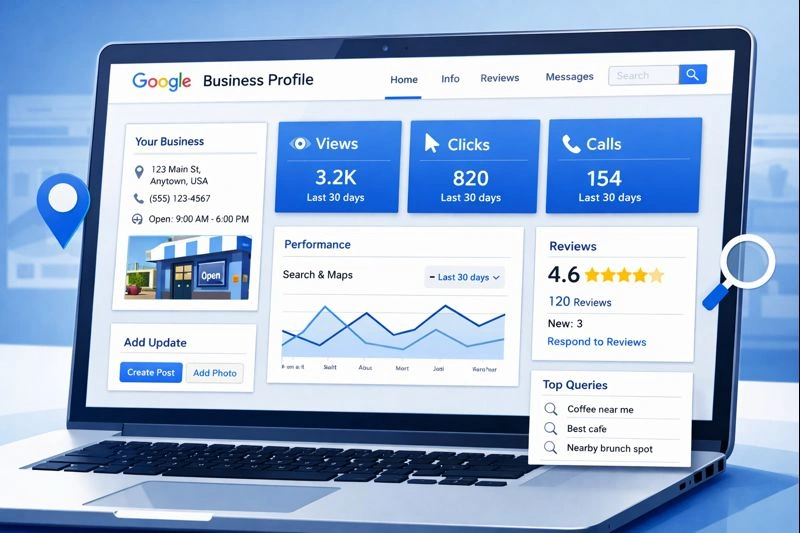
How to Optimize Google Business Profile in 2026
Google Business Profile optimization for 2026: setup, verification, categories, photos, reviews, posts, and the new features that actually move Maps rankings.
Updated February 3, 2026 · 15 min read
Table of Contents
Introduction
46% of Google searches have local intent, and 87% of consumers use Google to find local businesses. Your Google Business Profile is often the first impression potential customers have of your company, before they ever visit your website or walk through your door. Optimizing your Google Business Profile increases the chances of being found online by local customers searching for your services.
You'll get complete GBP optimization for 2026, including the latest AI Overviews integration, enhanced attributes, and updated Content Quality guidelines, from initial setup through the advanced strategies that work for local service businesses. If you want more qualified leads and better local visibility, this is your roadmap. Following Google's guidelines for local businesses is essential to maintain high quality information and avoid issues.
Direct answer: GBP optimization involves systematically updating all profile elements (your primary category, business description, photos, reviews, and posts) to rank higher in the local pack and Google Maps results where customers find businesses like yours.
Do the work below and you'll gain:
- Increased visibility in google search results and Google Maps
- More qualified leads from customers actively searching for your services
- Higher rankings in the local 3-pack
- Improved customer trust through complete, professional profile presentation
- Clear metrics to track your local marketing ROI
• Verify and complete your profile with accurate business information. • Optimize critical elements like name, category, and NAP data for ranking. • Enhance content with detailed descriptions, services, and attributes. • Add high-quality visuals (photos and videos) to boost engagement. • Manage reviews actively and respond within 24 hours to build trust. • Maintain your profile with regular posts and performance tracking.
Understanding Google Business Profile Optimization
Before getting into specific tactics, let’s establish what GBP optimization actually means and why it matters more than ever in 2026.
Optimizing your Google Business Profile ensures your business information is accurate, complete, and engaging. This not only helps you appear in local search results but also increases your chances of being featured in AI Overviews. Google prioritizes profiles with frequent updates and fresh content, making ongoing engagement crucial for visibility in 2026.
A fully optimized profile attracts more traffic from local searches, helping your business stand out, reach more potential customers, and drive higher foot traffic or website visits.
What is Google Business Profile Optimization
Google Business Profile optimization is the systematic process of completing, updating, and maintaining your business listing to maximize visibility in local search results and Google Maps. When someone searches for services near them, Google displays a local pack: those top 3 business results with ratings, hours, and contact information.
Your goal is to appear in that local pack for relevant searches. Complete profiles receive 70% better visibility in local search compared to incomplete listings, making optimization directly tied to your ability to attract more customers. Following best practices for GBP optimization leads to the best results in local search visibility. For businesses with multiple locations across Florida, see our Google Maps ranking strategies for a scalable approach.
To ensure optimal performance, it's important to complete and audit your profile by filling all available fields, including business hours, description, and website.
Why GBP Optimization Matters in 2026
Google’s 2026 updates have fundamentally changed how local businesses get found. AI Mode now delivers personalized, conversational search results that pull data directly from business profiles. If your profile lacks detailed, specific information, AI Overviews simply can’t feature your business effectively.
Here’s what the data shows:
- 71% of all profile interactions and conversions happen on mobile devices
- Top-ranking businesses average 200+ reviews and respond within 140 words
- Businesses with 250+ photos rank significantly higher in local search
- 86% of profile views come from category-based searches, not people searching your business name
- 64% of consumers use profiles specifically to check business hours
The most critical factor? Your primary business category is the #1 ranking signal according to local SEO expert studies. Get this wrong, and you’re invisible to the majority of potential customers searching for exactly what you offer.
Your primary business category is the most critical ranking factor. Choosing the right category can make or break your visibility in local search results.
With those fundamentals in place, your first job is getting your profile properly set up and verified.
Setup and Verification Essentials
A properly verified profile is the foundation everything else builds upon. Skip this step, and none of your optimization efforts will matter.
Creating Your Google Business Profile
To create your profile, go to google.com/business and click “Manage now.” You’ll need a Google account, so use your business email if possible for cleaner account management.
If your business already exists in Google’s database (check by searching your business name in Google Maps), you’ll need to claim the existing listing rather than creating a duplicate. Duplicates cause confusion for customers and harm your local ranking.
During setup, you’ll provide:
- Your official business name (exactly as registered, no keyword additions)
- Primary category (choose categories carefully; selecting the most relevant and accurate categories is crucial for your Google Business Profile’s visibility.)
- Physical address or service area designation
- Phone number and website
- Operating hours
Google categories are specific labels that classify your business within a particular industry or service area. Selecting appropriate primary and secondary categories allows you to optimize your Google Business Profile and provide a complete picture of your business.
Most businesses can complete initial setup in 15-20 minutes if you have your business information ready.
Verification Process and Best Practices
Google offers multiple verification methods with different timelines:
Video verification works fastest for most businesses. You’ll record a brief video showing your business location, signage, and operations. This typically completes within a few days.
Postcard verification takes approximately two weeks. Google mails a postcard with a verification code to your physical address.
Phone and email verification are available for some eligible accounts, offering near-instant verification.
While waiting for verification, you cannot make changes to your profile or see analytics. However, you can use this time to gather photos, write your business description, and prepare your service list. Once verified, you’ll be ready to optimize quickly.
If verification fails or takes longer than expected, check that your address is formatted correctly and matches exactly what appears on your website and other online directories.
- Use a business email for Google account setup to keep management organized.
- Claim existing listings to avoid duplicates that harm rankings.
- Choose video verification for the fastest process, typically within days.
- Prepare photos and descriptions while awaiting verification to save time.
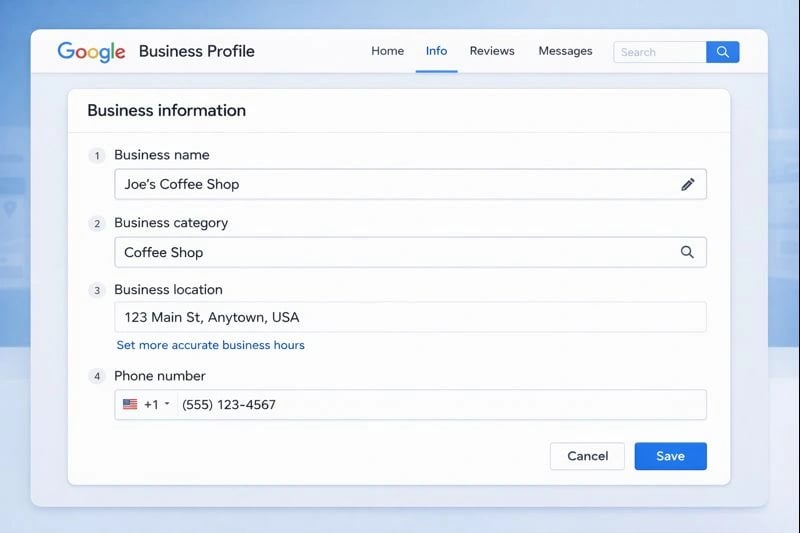
Setting up your Google Business Profile with accurate information is the first step to local visibility.
Optimizing Critical Business Elements
These elements carry the most ranking weight. Get them right, and you’ve built 80% of your optimization foundation.
Business Name Optimization
Your business name must match your official, legal business name. Period. Google’s guidelines explicitly prohibit adding keywords, locations, or marketing phrases that aren’t part of your registered name.
Violation example: “Joe’s Plumbing - Best Service in Melbourne FL 24/7 Emergency”
Compliant example: “Joe’s Plumbing LLC”
If your actual registered business name includes a location or service descriptor (like “Melbourne Auto Repair” or “Space Coast Pest Control”), that’s perfectly fine. The keyword is part of your legal name.
Keyword stuffing in business names triggers manual review and can result in profile suspension. It’s not worth the risk, especially when other optimization opportunities exist.
Primary and Secondary Categories Selection
Your primary category is the single most important ranking factor for appearing in local search results. Choose the most specific category that accurately describes your core business.
Example: If you run a specific service, select the precise category for it, not a broad or unrelated term.
To select your category:
- Click “Edit profile” in your GBP dashboard
- Select “Business information”
- Click “Category”
- Search for and select your primary category
For secondary categories, add 2-3 options that describe additional services you genuinely provide. A business might add related services that complement their primary offering.
Google frequently adds new category options. Review your category selection quarterly, since a more specific category may have become available. Tools like GMB Everywhere (a Chrome extension) let you see what categories competitors use for reference.
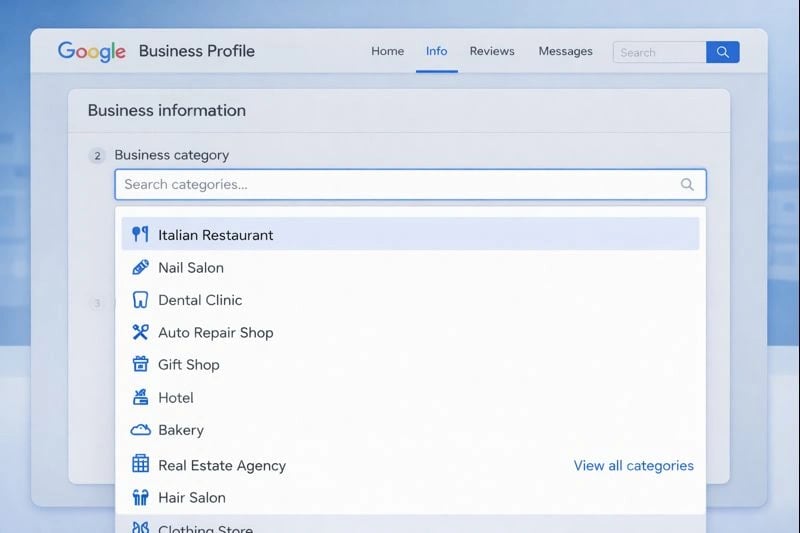
Choosing the right primary category is critical for appearing in relevant local searches.
NAP Data Consistency
Name, Address, and Phone (NAP) consistency across all platforms is foundational. Inconsistencies trigger red flags and harm your rankings. Maintain absolute NAP consistency across your website, social media, and third-party directories following Google's 2026 guidelines.
Your physical address format should match exactly what appears on your website, social media, directory listings, and anywhere else your business appears online. “123 Main Street” vs “123 Main St.” seems minor, but search engines treat these as potentially different businesses.
Use a local phone number rather than toll-free if possible, since it signals local relevance. For service area businesses without a public physical address, select “I serve customers at their location” and specify your coverage zones by city, region, or radius.
If you serve Melbourne, Palm Bay, and surrounding Brevard County areas, define those specific service areas rather than selecting an overly broad region.
Business Hours and Special Hours
64% of consumers check your profile specifically for operating hours. Inaccurate hours mean frustrated customers who arrive when you’re closed, and those customers rarely come back.
Set your regular hours by:
- Clicking “Edit profile”
- Selecting “Business hours”
- Adding opening and closing times for each day
Update seasonal hours immediately when they change. Add holiday hours well in advance: Christmas, Thanksgiving, and local events your customers expect you to acknowledge.
“More hours” options let you specify different hours for specific services. An auto repair shop might have different hours for the service desk versus parts pickup. A restaurant might list different hours for dine-in versus takeout.
Business Name
Must match your legal name exactly. Avoid keyword stuffing to prevent penalties.
Primary Category
Select the most specific category for your core service to maximize ranking potential.
NAP Consistency
Ensure name, address, and phone number match across all platforms for credibility.
Business Hours
Keep hours accurate and updated, including special holiday schedules, to avoid customer frustration.
With critical elements in place, let’s move to the content that helps Google understand exactly what you offer.
Content Optimization Strategy
Content optimization helps Google match your profile to relevant searches while giving potential customers the information they need to choose you.
Business Description Optimization
Your business description has a 750-character limit. Make every character count. Use all 750 characters in your business description to highlight unique selling points and include local keywords without promotional gimmicks.
Start with your primary service and location: “We provide [core service] to [service area].” Include relevant keywords naturally, but don’t force them. Describe what makes your business unique and what outcomes customers can expect.
Example for a Space Coast business: “We provide residential and commercial services throughout Melbourne, Palm Bay, and Brevard County. Our licensed team specializes in emergency repairs and installations. Family-owned since 2008, we offer same-day service and upfront pricing with no surprise fees.”
End with a subtle call-to-action: “Call today for a free estimate” or “Schedule your appointment online.”
Top-ranking businesses use approximately 70 words in their descriptions: detailed enough to be informative, concise enough to hold attention on mobile.
Use all 750 characters to describe your services and location naturally. Avoid promotional language and focus on what sets your business apart.
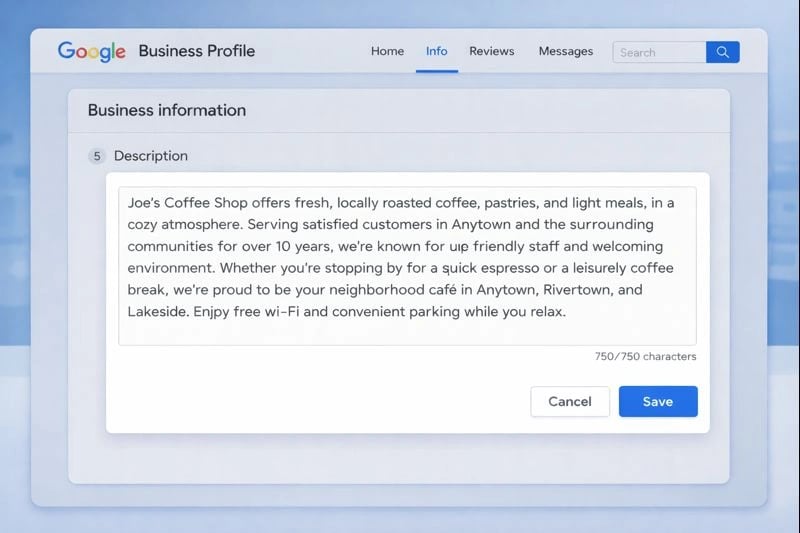
Craft a detailed business description to improve relevance in local searches.
Services and Products Setup
The services section helps Google understand exactly what you offer, improving your chances of appearing in niche searches.
List all the services you provide, not just your primary offering. Each service can have:
- A descriptive name using natural keywords
- A detailed description (what’s included, what customers should expect)
- Pricing (optional, but transparency builds trust)
Organize services into logical categories. A car wash might group “Exterior Wash,” “Full Detail,” and “Paint Protection” under different service tiers. A digital marketing agency might separate “SEO,” “Web Design,” and “Paid Advertising.”
For businesses selling products, the product catalog works similarly. Use high-quality images and complete descriptions. Google’s Product Studio now lets you change background scenes for product photos using AI, creating professional-looking listings without expensive photography.
Attributes and Additional Information
Google attributes are specific characteristics that describe your business in detail, enhancing your visibility in online searches. Attributes improve the usability and appeal of your business profile by clearly communicating what customers can expect.
2026 brought enhanced attributes that help customers find businesses matching specific needs. Available attributes include:
- Accessibility features (wheelchair accessible entrance, accessible parking)
- Identity attributes (LGBTQ+ friendly, women-owned, veteran-owned)
- Service options (online appointments, curbside pickup)
- Payment methods accepted
- Health and safety measures
Claim every applicable attribute. They appear prominently on your profile and can influence which searches your business appears in. A potential customer filtering for “wheelchair accessible” won’t see businesses that haven’t claimed that attribute.
Visual content is next, and it significantly impacts both click-through rates and rankings.
Visual Content Optimization
Profiles with quality visuals get more clicks, and Google uses engagement metrics like image views and clicks to influence rankings. This isn’t just about looking professional; it directly affects your visibility.
Callout: Profiles with over 100 photos receive significantly higher engagement. High-quality photos and videos can significantly impact your profile's visibility and conversions.
Photo Optimization and File Naming
Businesses with 250+ images rank significantly higher in local search results. While that’s a long-term goal, start with full coverage of essential categories:
- Exterior photos: Multiple angles showing signage, parking, entrance
- Interior photos: Workspace, waiting areas, customer-facing spaces
- Team photos: Staff members, especially those customers will interact with
- Work examples: Completed projects, before/after transformations
- Products: Everything you sell, with multiple angles
Before uploading, rename files with descriptive, keyword-rich names. Instead of “IMG_4521.jpg,” use “commercial-service-installation-melbourne-fl.jpg.” Add descriptive alt text for accessibility and SEO.
Photo quality requirements: minimum 720×720 pixels, JPEG or PNG format, under 5MB. Upload fresh photos at least monthly, since profiles with recent visual updates perform better.
Video Content Strategy
Short videos significantly boost engagement. Effective video types include:
- 30-second business introduction: Who you are, what you do, who you serve
- Service demonstrations: Show your work process
- Team introductions: Build trust by showing real people
- Customer testimonials: Social proof in action (with permission)
Keep videos under 30 seconds for optimal mobile viewing. Ensure audio is clear if you’re speaking, or use text overlays for silent viewing.
Geotagging and Technical Tips
Geotagging adds GPS coordinates to your photos, reinforcing your location relevance. Most smartphones do this automatically, but verify your camera settings include location data.
For professional photos taken with DSLRs, add geotags using tools like GeoSetter or ExifTool before uploading.
Compress images for faster loading without sacrificing quality. Tools like TinyPNG work well. Large files slow your profile’s performance on mobile, where 71% of your interactions occur.
Data derived from Google Business Profile insights and industry studies on local search behavior.
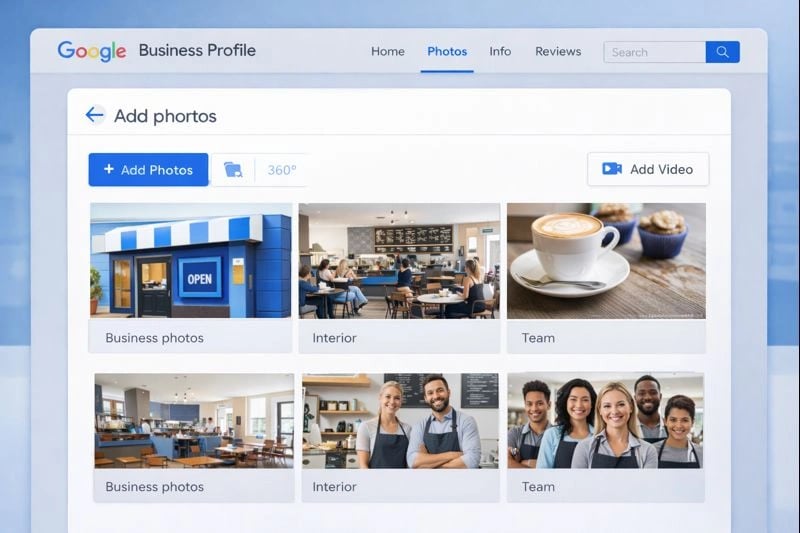
High-quality visuals in your profile can significantly boost customer engagement and local rankings.
Now let’s address what often determines whether profile visitors become customers: reviews.
Review Management and Customer Engagement
Reviews function as both ranking signals and trust builders. Encouraging your customers to leave positive reviews is essential for enhancing your online reputation and improving local search rankings. Top-ranking businesses average 200+ reviews. Volume matters, but so does how you manage them.
Review Response Strategy
Respond to every review within 24 hours as response times are tracked as a ranking signal in 2026. Respond to every review, positive and negative, within 24-48 hours when possible. Google values active engagement, and potential customers read your responses to gauge how you treat clients.
For positive reviews, personalize your response. Reference specific details from their review to show you actually read it. Include relevant keywords naturally:
Example: “Thank you for the kind words about your installation! We’re glad our team could get things running again quickly. We appreciate you choosing us for your needs in Palm Bay.”
For negative reviews, stay professional. Acknowledge their experience, apologize for any shortcomings, and offer to make it right offline:
Example: “We’re sorry your service didn’t meet expectations. This isn’t the experience we want for our customers. Please call us directly at [number] so we can address this personally.”
Top-ranking businesses keep responses around 140 words: substantive enough to show engagement, concise enough for easy reading.
Encouraging Customer Reviews
Generating reviews ethically requires timing and making the process easy. Ask for reviews:
- Immediately after successful service completion
- When customers express satisfaction unprompted
- Through follow-up emails with direct links to your review page
Create a short URL for your review page (available in your GBP dashboard under “Get more reviews”). Google now offers QR codes for reviews. Print them on receipts, business cards, or in-store signage.
Never offer incentives for reviews. Google prohibits this, and penalties include review removal and potential suspension.
Questions and Answers Management
Definition: The Q&A section in your Google Business Profile allows both business owners and customers to ask and answer questions about your business. This section is a valuable tool to highlight amenities, clarify services, and improve your profile’s visibility in search results.
Purpose and Value: Fill the Q&A section with your own FAQs to highlight amenities and improve visibility. Seed the Q&A section with common FAQs and provide keyword-rich answers to enhance relevance. This not only addresses common customer concerns but also helps Google better understand your offerings, increasing your chances of appearing in relevant searches.
Proactively seed it with common questions and answers:
- “What areas do you serve?”
- “Do you offer free estimates?”
- “What are your payment options?”
- “How quickly can you schedule service?”
Monitor for new customer questions and respond promptly, since unanswered questions look neglected. Include location-specific keywords in answers where natural.
- Respond to all reviews within 24-48 hours to show engagement.
- Personalize positive responses with specific details for authenticity.
- Handle negative feedback professionally and offer offline resolution.
- Encourage reviews ethically after successful service without incentives.
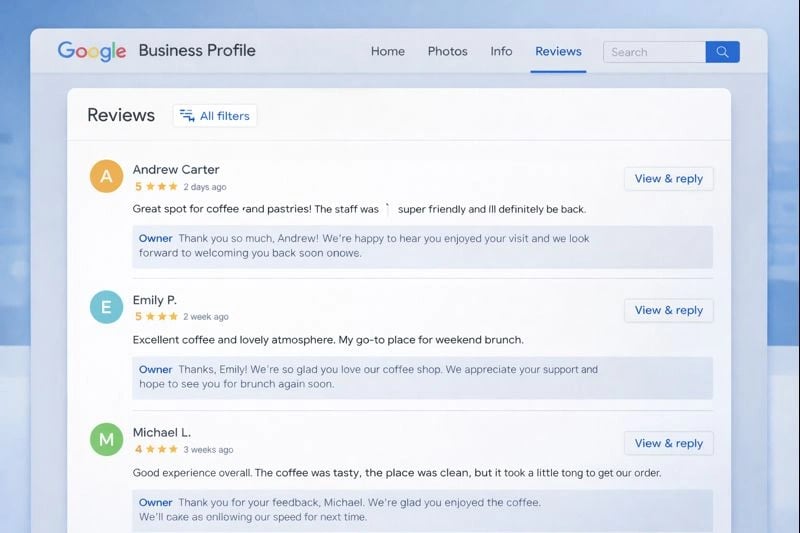
Active review management builds trust and improves your local search rankings.
With your profile fully optimized, let’s talk about keeping it that way.
Ongoing Maintenance and Performance
GBP optimization isn’t a one-time project. Profiles require ongoing attention to maintain and improve rankings.
Google Posts Strategy
Post weekly at minimum. Google Posts appear directly on your profile and signal active management. Use Google Posts to share updates, events, and special offers consistently. To maximize engagement and visibility, use Google Posts to share updates, events, and special offers consistently. Make sure to share updates such as recent news, responses, and information relevant to your customers. use the "What's Happening" section for real-time updates on offers and events.
In 2026, Google introduced native Post Scheduling and Multi-Location Publishing features directly in the dashboard.
Post types include:
- Updates: News, tips, behind-the-scenes content
- Offers: Limited-time promotions with expiration dates
- Events: Upcoming workshops, sales, community involvement
- Products: Featured items or new inventory
Each post should include:
- A compelling image (no stock photos; use real business images)
- 150-300 words of valuable content
- A call-to-action button (Learn More, Call Now, Book, etc.)
- A link to relevant pages on your website
Create a simple content calendar: Monday updates, mid-month offers, end-of-month events. Consistency matters more than perfection.
Profile Monitoring and Updates
Conduct monthly audits checking:
- Hours accuracy (especially before holidays)
- All phone numbers working correctly
- Website links not broken
- New attributes available to claim
- Competitor changes in your category
Google occasionally suggests edits based on user reports or their own data. Review these carefully. Some are accurate corrections, others are erroneous. Reject incorrect suggestions promptly.
Performance Tracking and Analytics
Google Business Profile Insights shows how customers find and interact with your profile. Key metrics to monitor:
- Search queries: What terms lead people to find you
- Profile views: How many people see your listing
- Website clicks: Traffic driven from your profile
- Direction requests: Local intent and foot traffic potential
- Phone calls: Direct leads generated
Google updates this data monthly. Track trends over time. A sudden drop in visibility might indicate algorithm changes or competitor activity.
For deeper analytics, add UTM parameters to your website link. This lets you track GBP traffic separately in Google Analytics and measure conversion rates for visitors coming from your profile versus organic search.
Understanding what not to do is just as important as knowing best practices.
Common Mistakes to Avoid
These mistakes can harm your rankings or result in profile suspension. Avoid them.
-
Business Name Keyword Stuffing
Adding keywords, locations, or marketing phrases to your business name violates Google’s guidelines and triggers manual review.Violation: “Mike’s Services - #1 Repair Melbourne FL - 24 Hour Emergency Service”
Compliant: “Mike’s Services LLC”Penalties range from forced name corrections to complete profile suspension. Recovery requires appeal processes that can take weeks.
-
Inconsistent NAP Data Across Platforms
When your business name, address, or phone number varies across your website, social media, and directory listings, Google sees potential fraud signals. Search engines struggle to verify which information is accurate.Audit your NAP consistency across:
- Your website (footer, contact page, about page)
- Social media profiles (Facebook, LinkedIn, Instagram)
- Directory listings (Yelp, Yellow Pages, industry-specific directories)
- Chamber of Commerce and BBB listings
Tools like Moz Local or BrightLocal can scan for inconsistencies. Fix discrepancies before investing in other optimization. This is foundational.
-
Category Selection and Content Quality Errors
Choosing irrelevant categories hoping to appear in more searches backfires. Google’s algorithms recognize mismatches between your category and your actual content, website, and reviews. Irrelevant categories can trigger penalties.2026s Content Quality guidelines also penalize:
- Fake reviews (purchased or incentivized)
- Duplicate content across profile sections
- Spammy or promotional-only posts
- Prohibited content (adult services, weapons, etc.)
Stay specific, accurate, and genuine. Shortcuts create long-term problems.
Conclusion and Next Steps
GBP optimization drives qualified leads when done systematically. You now have the complete framework to maximize your local visibility.
Your immediate next steps:
- Verify your profile if not already done (choose video verification for speed)
- Audit and correct your primary category (this is your #1 ranking factor)
- Complete all information fields: description, services, hours, attributes
- Upload at least 20 quality, geotagged photos
- Respond to all existing reviews within the next 48 hours
- Set a weekly reminder to post updates and monitor Q&A
Timeline expectations: Initial optimization can be completed in an afternoon if you have your business information ready. Ongoing maintenance requires 30-60 minutes weekly for posting and review responses, plus a monthly 15-minute audit.
The difference between businesses that dominate local search and those that struggle often comes down to consistent GBP management. You have the knowledge. Now execute.
Additional Resources
- Google’s Official Business Profile Help Center – Direct guidelines and policy updates
- GMB Everywhere – Competitor category and local search strategy research
- BrightLocal – Full tools for NAP consistency and local citation auditing
- TinyPNG – Advanced image compression for improved page load speeds
- GeoSetter – Geotagging and metadata management for local image optimization
Review Response Templates:
Positive review: “Thank you [Name] for sharing your experience! We’re glad [specific service] exceeded expectations. We appreciate you trusting us with [service type] and look forward to helping you again.”
Negative review: “We’re sorry to hear about your experience, [Name]. This doesn’t reflect our standards, and we’d like to make it right. Please contact us directly at [phone/email] so we can address this personally.”
Or start with a free AI visibility check
Does AI Recommend You?
See if ChatGPT, Gemini, Grok, and Claude name your business. Free, emailed in minutes.